Murf AI Voice Generator: Full Review & Best Alternatives
Two people can search "AI voice generator" and need completely different things. One wants a production studio for corporate narration, e-learning courses, and marketing videos with pristine professional delivery. The other wants to hear Trump read a satirical script, or get Morgan Freeman to narrate a gaming highlight with cinematic gravity. The search results overlap. The products they need don't.
Murf AI sits clearly in the first camp. It's a professional voiceover production platform built for studios, marketing teams, e-learning developers, and content producers who need clean, scalable narration. It's one of the better-known names in that space. And it earns that reputation in specific, well-defined ways.
This review covers all of it. What Murf actually is, how the studio workflow operates, what the voice quality looks like in real use, how pricing is structured, where the platform wins, where it runs into limits, and which alternatives to consider when Murf isn't the right fit. By the end you'll know whether Murf belongs in your workflow or whether you need to look elsewhere.
One thing to establish before going further: TryAIVoices and Murf solve different problems for different people. Murf builds original synthetic voices for professional production. TryAIVoices is built around celebrity impressions and character voices for entertainment-driven content. If your search for the Murf AI voice generator started because you want to generate audio that sounds like Obama, Spongebob, Batman, or Peter Griffin, that context matters for everything that follows.
What is Murf AI?
Murf launched around 2020 and grew quickly into one of the most recognized platforms in AI-generated professional voiceover. The company is based in Atlanta, Georgia. Their positioning from the start was studio-grade AI voice production, not a utility TTS tool with a plain paste-and-generate interface, but a full production environment where narration gets created, edited, synced to media, and refined before it ships.
The core premise is practical. Professional voiceover traditionally requires booking studio time, hiring talent, managing revisions, and paying per session. For teams producing high volumes of e-learning content, corporate training modules, marketing videos, or explainer animations, that model is expensive and slow. Murf compresses the workflow. You write a script, choose a voice, adjust timing and tone, sync to your visuals, and export finished audio in a fraction of the time and cost.
That's the proposition, and it holds up in the use cases Murf is designed to serve.
The core product experience
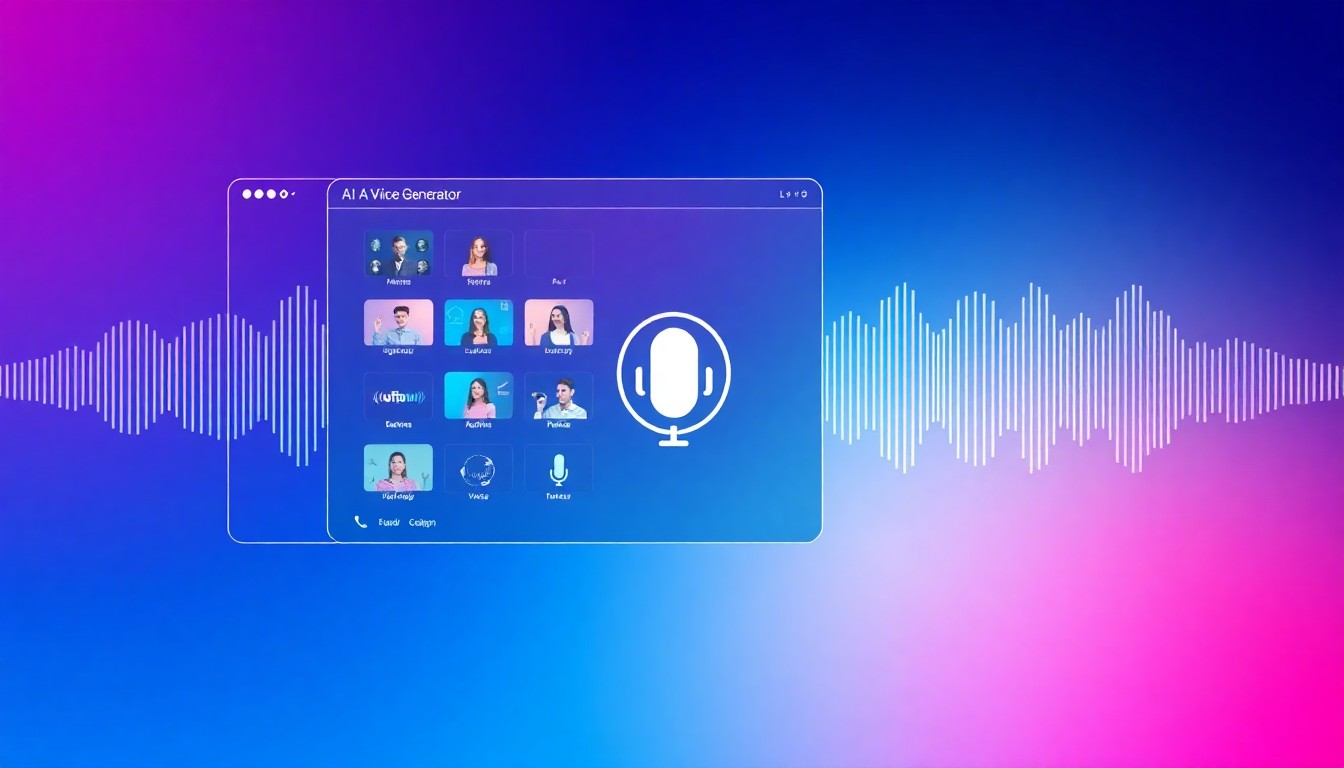
Murf's web-based studio is the main workspace. Unlike simple TTS tools where you paste text into a box and click generate, the Murf interface is closer to a lightweight audio production environment. Text sits in a script panel. Voice selection happens from a sidebar with filters for language, accent, gender, age, and voice style. Generated audio appears in a timeline below, where you can adjust individual segments, change pacing, modify pitch, and control emphasis at the sentence or word level.
The studio is browser-based with no download required. The learning curve is steeper than a basic TTS generator but significantly shallower than traditional audio production software. For the target user, someone who knows what professional narration sounds like and needs to produce it efficiently, the interface makes sense quickly.
Who Murf is built for
The platform targets a clear set of users. E-learning developers and instructional designers who need consistent narration across large course libraries. Marketing teams producing explainer videos and product demos at volume. Corporate communications teams creating training content, onboarding videos, and internal presentations. Agencies handling voiceover production for multiple clients. Podcast creators who want AI-assisted production.
What's less common in Murf's target audience is social media entertainment creators, gaming streamers building personality-driven content, TikTokers making character voice videos, or YouTube channels built on recognizable celebrity impersonations. That's not who the platform was designed for, and the feature decisions reflect that.
 Photo via Unsplash
How Murf's technology works
Murf's voice synthesis runs on neural text-to-speech models trained on large datasets of human speech. The training process teaches the models how speech patterns flow, how words connect at natural speaking pace, how emotional register shifts pitch and cadence, and how specific voice identities maintain consistency across varied content.
The models are fine-tuned specifically for professional production contexts. Stability across long documents is a key design goal. Voices in Murf don't drift in quality or shift in character as scripts get longer, which matters for e-learning courses, long-form narration, and corporate video that can run fifteen minutes or more.
Voice quality architecture
Murf uses two model generations for voice output. Their standard voices cover the broad library and produce solid, professional-sounding speech at reasonable quality. Their AI Voice Studio tier (accessed on higher plans) produces more nuanced output with better prosody and more natural emotional variation.
The distinction between model tiers matters when evaluating Murf's quality. Forming a quality judgment based on a basic voice from the standard library gives you a different picture than testing the top-tier voices on longer, more natural speech. Always test with the highest-quality voices available on your plan before concluding what Murf's quality ceiling looks like.
Voice cloning
Murf includes voice cloning capability. The workflow requires uploading audio samples of the target voice. The system analyzes the input and creates a synthetic model that mimics the source voice characteristics. Cloned voices can then be used across projects like any other voice in the library.
The cloning feature is most useful for companies wanting to maintain a consistent branded voice without booking recording sessions for every new content batch. A spokesperson whose delivery is known and trusted can be cloned once and used across all future narration without requiring ongoing talent availability. Quality depends heavily on recording conditions. Clean, professionally recorded source audio produces significantly better clone quality than recordings made in noisy environments on consumer hardware.
SSML support
Murf supports SSML, the markup language for fine-grained control over speech synthesis. You can insert precise pause durations, control pronunciation of specific terms, adjust emphasis on key words, set speech rate for individual phrases, and modify volume dynamically through the script.
For users who need exact control over how specific words land, SSML unlocks that precision. It's a more technical interface than the visual editor, but it produces polished output that can't always be achieved through the drag-and-drop controls alone. Power users doing professional production work with consistent content types often build reusable SSML templates for their most common narration formats.
The Murf studio editor
The studio editor is where Murf differentiates most visibly from simpler TTS platforms. Most AI voice generators are fundamentally convert-and-download tools. You give them text, they give you audio, the interaction ends there. Murf is built around an ongoing production workflow.
Timeline and media sync
The timeline view lets you lay generated audio alongside visual elements. If you're producing a narrated presentation or explainer video, you can import the visual sequence and adjust the audio timing directly in Murf's editor rather than doing that synchronization in a separate tool. This is a genuine workflow compression for teams producing regular narrated media.
Segment-level editing means you can adjust how individual sentences or paragraphs sound without regenerating the entire script. If one line sounds off, you tweak that line and regenerate only that segment. The rest of your work stays intact. For long-form content this saves significant time.
Pitch, speed, and emphasis controls
The editor exposes voice controls that go beyond simple speed adjustment. You can set overall speech rate for the entire script and then override it for specific segments that need different pacing. Pitch adjustment lets you push a voice slightly warmer or cooler in tone. Emphasis controls let you flag specific words to receive more or less prominent delivery.
These controls don't give you the precision of a human voice director working with a real performer. But they give you meaningful control over the audio output without technical expertise in audio production. For teams whose previous option was either hiring a voice actor or accepting whatever the TTS gave them, this level of control is a genuine step forward.
Multi-voice projects
Murf supports multiple voices in a single project. Different speakers in a dialogue, different sections narrated by different voices, or content where the presenter shifts style between segments can each have their own voice assignment. For e-learning courses that include an instructor voice, a narrator voice, and example character dialogue, this handles all three in one project.
The interface for managing multiple voices is clean. You assign voices to text blocks through the sidebar, and the timeline shows which sections are handled by which voice. The workflow is more intuitive than trying to merge separate audio exports from multiple generation sessions.
Collaboration features
Murf has built out team collaboration at higher plan tiers. Multiple users can access shared project libraries, review and comment on work in progress, and coordinate production across a content team without routing files through email or external project management. Centralized billing and role-based access make it usable for agencies managing multiple clients and projects simultaneously.
This is standard B2B functionality, and Murf has implemented it cleanly. It's not designed for individual creators working solo. It's designed for the kind of professional team production that represents Murf's target market.
 Photo via Unsplash
Murf AI voice library
The voice library is large by professional TTS standards. Murf offers 120+ AI voices across more than 20 languages. The library covers different genders, age ranges, accents, and speaking styles. The English library alone spans American, British, Australian, and Indian accents, each with multiple voice options that serve different content tones and audience demographics.
Voice styles and categories
Within the library you'll find voices covering narrators, conversational speakers, news-reader styles, energetic promotional voices, calm authoritative voices, young and energetic voices, and older, more gravelly options. For professional content production, the variety supports meaningful differentiation. A compliance training course targets a different register than a product marketing video. The library has distinct options that serve each.
The search and filter tools make the library navigable. You can filter by language, gender, age range, accent, and voice style. The result is usually a manageable shortlist that you can test against your actual script before committing to a full project. Voice selection is one of the highest-leverage decisions in professional narration production, and Murf's filtering makes it less painful than scrolling through 120 unsorted options.
What the library doesn't include
This distinction matters, and it's worth being direct about it. Every voice in Murf's library is an original AI-created identity. There are no celebrity impersonations. There are no voices designed to sound like real people, public figures, or fictional characters.
If you want to generate audio that sounds like Trump, you won't find it in Murf. Obama's cadence and delivery isn't in the library. Spongebob doesn't exist in Murf's catalog. Neither does Peter Griffin, Morgan Freeman, Arnold Schwarzenegger, Cartman, Batman, or any recognizable voice identity from popular culture.
This isn't a gap Murf is working to fill. It's a deliberate choice. The platform is positioned around professional brand-safe content production. Celebrity impersonations carry legal risk and don't serve the e-learning, corporate, and marketing use cases that are Murf's focus.
For content creators building entertainment-focused content that depends on recognizable voices, the cartoon voice library, celebrity library, politicians library, anime library, movies library, and gaming library on TryAIVoices cover what Murf doesn't.
Language coverage
Murf's 20+ language coverage is solid for professional production in major markets. English, Spanish, French, German, Italian, Portuguese, Hindi, Chinese, Japanese, Korean, Arabic, Dutch, and several others are included. For multinational brands and agencies handling localized content for multiple markets, the core languages are covered.
The depth within each language varies. English has the broadest voice selection and the most refined quality. Other languages have functional voice options but fewer choices within each. For heavy multilingual production across many markets, platforms like Play.ht with 142-language coverage offer broader reach. For the major global markets, Murf's 20+ languages handles most practical needs.
Murf AI key features
Beyond the core editor, Murf has built a substantial feature set around professional voice production.
Integrations
Murf integrates with tools that professional production teams use every day. The Canva integration lets you add AI voiceover to designs directly without exporting and reimporting. Google Slides integration enables narrated presentations without leaving the slides workflow. These integrations reduce the steps between content creation and narrated output.
For teams already working in design tools for their video and presentation content, having voice generation accessible from within those tools is a workflow improvement. It's not transformative for users who are comfortable with separate tool workflows, but it's a genuine quality-of-life improvement for the specific use cases it covers.
API access
Murf provides API access for developers integrating voiceover into applications. The API supports the voice library, custom voice parameters, and audio generation in formats suitable for application embedding. Developers building content platforms with audio features, accessibility tools with TTS capability, or applications requiring on-demand narration generation can integrate Murf's synthesis through the API.
The API documentation is clean and the integration path is straightforward. For production applications with significant traffic volume, costs scale with usage and need careful modeling before committing at scale.
Background music and sound
Higher-tier Murf plans include the ability to add background music from a built-in library to narrated content. You can balance the voice volume against the background track directly in the editor. For explainer videos, corporate content, and narrated presentations that need ambient sound, this adds a production step without requiring a separate audio tool.
The music library isn't vast. It covers common moods: upbeat, calm, professional, inspirational. For high-production needs with specific musical requirements, you'd want to source music separately. But for standard professional content that just needs atmospheric audio behind narration, the built-in library handles the use case without additional licensing overhead.
Voice changer and real-time features
Murf has developed voice changer capability that modifies audio through the platform. This is separate from the main TTS generation and operates on uploaded voice recordings rather than generated speech. The practical use case is limited compared to the main generation workflow, but it expands what the platform can handle for teams doing hybrid production with some recorded and some generated audio.
Pronunciation dictionary
Professional content often includes industry jargon, product names, brand-specific terminology, acronyms, and proper nouns that standard TTS models mispronounce. Murf includes a pronunciation dictionary where you can define how specific terms should be pronounced. Set it once, and that pronunciation applies consistently across all future projects.
For teams producing specialized content, this is genuinely useful. Medical e-learning, legal training content, technical product documentation, or anything in a field with domain-specific vocabulary benefits from consistent correct pronunciation. The alternative is doing pronunciation corrections word by word in every script, which is slow and error-prone.
Murf AI pricing and plans
Murf uses tiered subscription plans. The structure moves from individual creator plans through team plans to enterprise arrangements.
Individual plans
The entry plan gives access to the core voice library, a limited monthly character or minute allocation, and the basic studio editor. It's calibrated for light individual use rather than serious content production.
The creator-tier plan expands the character allocation significantly and unlocks the full voice library including higher-quality voice options. Voice cloning, more advanced editor features, and download rights for commercial use come at this tier. For serious individual content producers, this is where Murf's capabilities become genuinely useful.
Business and team plans
Business plans add team collaboration features, shared project libraries, centralized account management, expanded monthly generation capacity, and priority support. Multiple users can access the same account with role-based permissions. For agencies and content teams, this is where the platform really functions as intended.
Monthly limits increase substantially at business tiers. Teams producing e-learning libraries, agencies managing multiple client content programs, and in-house production teams doing high-volume narration find that business plans give them the headroom their workflow requires.
Enterprise
Enterprise plans offer custom volume arrangements, SLA guarantees, white-label options, and dedicated account management. These are negotiated directly and serve large organizations with consistent high-volume production needs. The pricing reflects a genuine production partnership rather than a self-serve tool subscription.
How Murf pricing compares
Murf sits in the mid-to-upper range of the professional TTS market. The pricing reflects the studio features, team collaboration, and production workflow tools built into the platform. Compared to ElevenLabs, Murf costs less on comparable plans but the quality ceiling is lower. Compared to Play.ht, pricing is similar but the feature emphasis differs. Murf leans into the studio editor and collaboration. Play.ht leans into language breadth, WordPress integration, and API capability.
For the use case Murf is built for, professional narration production for teams, the pricing is defensible against the alternative of traditional voice talent and studio time.
 Photo via Unsplash
Best use cases for Murf AI
Murf earns its reputation in specific applications. Here's where the platform genuinely performs.
E-learning and corporate training
This is the core Murf use case. Instructional designers and e-learning developers producing course narration face a constant challenge: content changes, policies update, and course materials need revision. With human voice talent, every update means booking a new session. With Murf, you update the script and regenerate the affected segments.
The pronunciation dictionary helps here too. E-learning content often includes technical terms, product names, and regulatory language that standard TTS butchers. Define pronunciations once and they hold across the entire course library. For teams managing large learning management systems with hundreds of modules, this consistency is operationally important.
Murf's voice quality is appropriate for professional educational content. It's not the most emotionally expressive voice synthesis available, but e-learning narration doesn't typically require dramatic range. Clean, clear, consistent, professional: that's what instructional content needs, and Murf delivers it.
Marketing and advertising content
Marketing teams producing explainer videos, product demos, social ads, and promotional content benefit from Murf's ability to generate professional narration at volume without the scheduling and cost overhead of traditional voice production. Campaign testing is particularly practical. You can generate narration for multiple script variations quickly, test which performs best, and then invest in production for the winner.
The studio editor's timeline and media sync features help here. Syncing narration to video is a step that otherwise requires dedicated audio editing software. Having it available in the same environment where narration is generated saves an export-import cycle.
Presentations and video content
Teams that produce regular narrated presentations, internal town halls, stakeholder updates, and video content for internal communications get consistent production quality from Murf that's faster and cheaper than studio alternatives. The Google Slides integration makes this particularly frictionless for teams already living in the Google workspace.
For consistent presenter identity across recurring content, voice cloning lets teams establish an AI voice that matches their on-camera presenter and then use that clone for content that doesn't require camera presence. Quarterly updates, policy changes, and reference library content can be narrated consistently without the presenter recording every segment.
Developer and API applications
Developers building content platforms, accessibility tools, or any application with a voice feature can use Murf's API as the synthesis engine. Reading apps that need reliable TTS, educational platforms with audio versions of written content, customer service tools with spoken responses, and navigation or guidance systems that need voice instructions can integrate Murf's generation through the API.
Documentation is solid and integration is straightforward. For production applications with variable traffic, modeling the cost per generation unit is worth doing before committing to the API as a production dependency.
Podcast and long-form audio
Podcast creators producing AI-narrated content find Murf's long-form stability useful. Voices maintain consistent quality across episode-length content without the quality drift that affects some TTS systems on longer documents. The segment-level editing helps with long-form revision. If a section of a forty-minute episode needs reworking, you don't regenerate the whole thing.
Where Murf AI falls short
Understanding limitations matters as much as understanding strengths. No platform wins every comparison, and Murf has real gaps.
No celebrity or character voice impersonations
The most significant limitation for entertainment creators is one Murf will never fill by design. The voice library consists entirely of original synthetic identities. There's no Trump AI voice for political commentary. No Obama voice generator for satirical content. No Spongebob voice for character-driven entertainment. No Peter Griffin or Cartman for gaming content. No Morgan Freeman narration style for cinematic effect.
This gap is absolute for entertainment creators. No amount of voice customization in Murf's editor produces recognizable celebrity impersonations from original synthetic voices. The underlying model doesn't have those voice identities, and no control setting changes that.
For social media creators, YouTube channels built on character voices, TikTok content that uses meme voices, gaming streamers who want Arnold Schwarzenegger voice reading ridiculous text, or political commentary using president voice generators, Murf is the wrong tool entirely. TryAIVoices covers the character and celebrity voice category that Murf bypasses.
Quality ceiling compared to premium competitors
Murf's best voices are solid professional-grade synthesis. They're not the market leader on voice naturalism. ElevenLabs consistently produces more natural-sounding speech, with better prosody, more convincing emotional range, and higher-quality voice cloning from shorter audio samples.
The gap matters more for some applications than others. E-learning narration doesn't require emotional dynamism. Explainer video narration doesn't need dramatic range. But for applications where voice realism is the primary measure of quality, such as audiobook narration, documentary voiceover, or emotionally engaged storytelling, Murf doesn't top the comparison table.
Limited language depth
Murf's 20+ language coverage is functional for major markets. It's not comprehensive for global production at scale. Play.ht's 142-language coverage is a different order of magnitude. For brands producing content in Hindi, Vietnamese, Turkish, Indonesian, Swahili, Polish, or any of several dozen other languages beyond the major Western ones, Murf's library may not have viable voice options.
For teams with genuine multilingual production needs across diverse markets, evaluating language coverage specifically against your target markets is essential before committing. Don't assume "20+ languages" covers your specific list without checking.
Character limit economics at scale
Murf's plan limits on monthly character or minute allocation can become constraints faster than expected. A corporate e-learning team updating a large course library, or an agency running multiple client content programs simultaneously, can find that higher plan tiers are required to accommodate actual production volume. Cost scaling at high volume is worth modeling carefully before choosing a plan.
The per-generation economics also mean that teams with bursty production schedules, heavy one month and light the next, may pay for capacity they don't always use. The plan structure favors consistent, predictable production volume rather than variable demand.
Learning curve for the studio editor
Murf's studio editor is more capable than a basic TTS tool and more complex to use. Users coming from simple paste-and-generate tools will have an adjustment period. The timeline view, voice controls, and segment-level editing are genuinely powerful, but they require understanding before they save time rather than adding friction.
For users whose need is occasional one-off audio generation, the studio feature set is more than necessary and the learning investment may not pay off. The platform rewards users who produce regularly and whose workflow benefits from the structured production environment.
Best Murf AI alternatives
Different needs call for different platforms. Here are the strongest alternatives and when each wins.
TryAIVoices: celebrity and character voices
TryAIVoices is the most direct answer when recognizable voice identities matter to your content. The platform hosts 500+ celebrity and character voices that audiences already know and respond to. Politicians including Trump, Obama, and Joe Biden. Celebrities including Morgan Freeman, Ariana Grande, Bad Bunny, Arnold Schwarzenegger, and Andrew Tate. Cartoon characters including Spongebob, Peter Griffin, and Cartman. Movie and anime characters. Musicians. Gaming voices.
The workflow is immediate. You type your text, select a voice, and generate audio in seconds. No studio editor to learn, no timeline to configure, no production setup. You get downloadable audio ready to use. For social media creators, entertainment YouTubers, gaming streamers, TikTokers making character content, and anyone whose creative work depends on voice identity, that's exactly the right tool.
TryAIVoices runs Starter, Pro, and Unlimited subscription plans with credits for audio generation. Browse the full voice library to see the catalog. If your search for "Murf AI voice generator" was really a search for a recognizable celebrity or character voice, TryAIVoices is where that search ends.
ElevenLabs: premium voice quality
ElevenLabs is the quality benchmark for AI voice synthesis right now. Their models produce more natural-sounding speech than any other platform in the comparison, with superior prosody, better emotional range, and high-quality voice cloning from audio samples. For applications where voice realism is the single most important measure, ElevenLabs usually wins.
The trade-off is cost. ElevenLabs charges more per character than Murf, and costs scale quickly at production volume. For users who need maximum quality and have budget to support it, ElevenLabs often outperforms Murf on the voice naturalism dimension.
Like Murf, ElevenLabs doesn't have celebrity or character impersonations. The library is original synthetic voices and custom clones. The quality is higher than Murf across most comparisons, but the fundamental library approach is the same.
Play.ht: professional TTS with breadth
Play.ht offers a different balance than Murf. The voice library runs to 900+ voices across 142 languages, which is breadth that Murf can't match. The web editor is capable for production workflows. Voice cloning and API access are available at the Professional tier.
Where Play.ht differs from Murf is the studio emphasis. Murf's timeline editing, media sync, and built-in collaboration tools are more developed than Play.ht's editor. Play.ht leans into language coverage, WordPress publishing integration, and podcast hosting. Which platform wins depends on whether breadth of languages or depth of studio features matters more for your workflow.
Like Murf, Play.ht is built around original synthetic voices without celebrity impersonations. For entertainment and character voice content, neither fits. TryAIVoices covers that category.
Narakeet: presentation and eLearning video
Narakeet specializes in converting PowerPoint presentations and document-based content into narrated videos. For educators and instructional designers whose workflow lives in presentations, it removes friction that other tools don't address as directly.
Murf handles narrated media production more broadly. Narakeet handles presentation-to-narrated-video specifically. If your production workflow is primarily presentation-based, Narakeet is worth evaluating alongside Murf. If you're producing a mix of content types, Murf's more general studio handles the variety better.
Minimax AI Voice: expressive TTS
Minimax AI Voice produces more emotionally expressive output than standard professional TTS platforms. Their voice synthesis handles emotional range and natural intonation better than narration tools built around consistent professional delivery. For content that benefits from expressive, dynamic voice performance, Minimax is a meaningful alternative to Murf.
The production workflow is less developed than Murf's. Minimax doesn't have the studio editor, timeline features, or team collaboration built out at the same level. For individual creators who prioritize expressiveness over production workflow depth, Minimax is worth testing. For teams needing the full production environment, Murf offers more.
Other alternatives worth knowing
The AI voice landscape has grown substantially. A few others worth understanding for specific use cases:
Vbee AI Voice is strong for Vietnamese and Southeast Asian language content. If those markets are central to your production needs, Vbee's regional coverage exceeds what Murf offers.
Dopple AI Voice focuses on conversational voice interaction, a different category from Murf's production narration workflow. For real-time conversational applications, the comparison point is different.
Zonos AI Voice is developing in the voice synthesis space with a focus on naturalism. Worth monitoring as a quality-focused alternative.
SoundID Voice AI operates within the digital audio workstation environment for music producers and audio engineers. The workflow and use case are entirely different from Murf's production narration context, but it's part of the broader AI voice landscape.
PixBim Voice Clone AI focuses specifically on voice cloning from recordings. For creators whose primary need is cloning a specific voice for personal brand consistency, it's worth considering alongside Murf's cloning capability.
Murf AI vs TryAIVoices: the key difference
These two platforms appear in the same searches because both are "AI voice generators." The overlap ends there. The audiences, use cases, and content types they serve are almost entirely separate.
Murf is for professional original voice production. The voices are synthetic identities without connections to real people. The feature set is built for structured production workflows: a studio editor, timeline sync, team collaboration, pronunciation dictionaries, SSML. The use cases are professional: e-learning, corporate training, marketing narration, explainer video, developer API applications. The voice serves the content.
TryAIVoices is for character-driven entertainment content. The voices are recognizable identities. Audiences already have a relationship with them. A Trump voice delivering commentary lands differently than any generic narrator. Spongebob saying something serious is inherently funny. Morgan Freeman narrating anything makes it sound cinematic and profound. Obama's delivery style gives weight to satirical content. The voice identity carries creative load that original synthetic voices simply can't carry.
These are genuinely different product categories that happen to share a label. Understanding that saves a lot of time when evaluating options.
A content strategist producing corporate training modules needs Murf. A TikTok creator making celebrity voice meme content needs TryAIVoices. An e-learning developer updating 200 course modules needs Murf. A gaming streamer wanting character voices for their highlights needs TryAIVoices. A marketing agency producing localized explainer videos needs Murf. A YouTube entertainment channel built on cartoon voice generators needs TryAIVoices.
The categories rarely overlap in practice, even though the search terms do. Most users who try the wrong platform for their use case figure out quickly they're in the wrong place.
For a broader look at the competitive landscape across AI voice tools, the best AI voice generators for characters and celebrities guide covers how the tools compare across different use cases and audiences.
Getting the most from Murf AI
If Murf fits your use case, a few practices consistently produce better results.
Write for speech, not for reading. Long complex sentences with multiple dependent clauses produce awkward audio output. The model commits to a tone for the full sentence. Sentences that pivot direction mid-way get synthesized with odd emphasis. Short, direct sentences produce more natural audio every time. Write the way people actually talk, and the AI voice follows.
Use the pronunciation dictionary from day one. Don't wait until you hit a mispronounced term to build the pronunciation library. Audit your content for industry terms, brand names, acronyms, and proper nouns before starting production. Set them all in the dictionary upfront. You'll get consistent correct pronunciation across the entire project without revisiting individual mistakes.
Test voices on actual content, not sample text. Murf's voice preview function is useful but limited. A voice that sounds natural on the preview sample may not work as well with your specific script, your vocabulary patterns, or your pacing. Always test candidate voices against a real excerpt from your content before committing to a full project.
Use segment-level editing for revisions. The biggest time-saving practice in Murf is using segment-level regeneration for revisions rather than regenerating entire documents. Edit the problematic segment, regenerate only that segment, leave everything else intact. On long-form content, this difference in workflow is significant.
Match voice style to content type. The library has enough variety to make a real difference in audience experience. A calm, authoritative narrator for compliance training doesn't work for an upbeat product demo. An energetic promotional voice doesn't work for technical documentation. Take time to find the right match before investing production time in a full project.
For team workflows, build templates early. If your team produces consistent content types, establish voice selections, speed settings, and pronunciation dictionary entries as project templates. Team members working from the same templates produce consistent output without individually calibrating every new project.
For more general guidance on getting results from AI voice generation, the voice generation tips page and the getting started guide cover principles that apply across different tools and platforms.
 Photo via Unsplash
Murf AI for YouTube and social media
Platform and content type determine whether Murf fits your social media and YouTube workflow.
Informational YouTube channels producing top-10 lists, explainer content, educational summaries, historical narratives, and knowledge-focused videos benefit from what Murf offers. Clean professional narration. Consistent voice quality. Long-form document support without quality degradation. Channels producing multiple videos per week get real value from Murf's efficient generation workflow and the ability to revise segments without regenerating everything.
Entertainment YouTube channels are a different story entirely. Content built around recognizable voice identities, political commentary using president voices, character-driven comedy with Spongebob or Peter Griffin, cinematic narration using Morgan Freeman's voice style, or gaming content with character voices from popular franchises: none of that is achievable with Murf. The cartoon voice library, celebrity library, and anime character voices on TryAIVoices are specifically built for this content category.
TikTok and short-form content follows the same logic. Professional narration TikToks covering business, education, or news can use Murf effectively. Viral character voice content, political satire audio, meme voices, and entertainment-driven short clips that rely on recognizable voice identities need a different tool.
There's a practical nuance worth noting. Some creators use Murf for informational narration work and TryAIVoices for entertainment character voice content within the same broader operation. The tools aren't in competition for those creators. They complement each other by covering different content categories without forcing a compromise on either.
For a full breakdown of which tools fit which types of YouTube content and why the choice changes based on content format, the AI voice generator for YouTube guide covers it in detail. The movie trailer AI voice generator guide is useful for cinematic voice content specifically. And the how to make text to speech guide covers the technical side of AI voice generation for creators at every level.
Is Murf AI worth paying for?
For the right use case, yes. Murf is a mature, well-built platform for professional voice production. The studio editor is genuinely useful for teams doing structured narration production. The voice quality is solid for professional applications. The collaboration features work for agency and corporate team workflows. The pronunciation dictionary, SSML support, and segment-level editing address real friction points in high-volume narration production.
Where it fails the "worth it" test is the same place every tool fails when applied to the wrong use case. Users who subscribe expecting celebrity impersonations or entertainment character voices will be disappointed. Not because Murf is inadequate. Because they needed something else.
Check what you actually need before subscribing. For professional original narration, e-learning, corporate content, marketing videos, and developer API applications, Murf is a strong option at its tier. For entertainment-driven content that depends on recognizable voice identities, the TryAIVoices library with 500+ celebrity and character voices is built for exactly that workflow.
The best outcome is using the right tool for the right job. If your content spans both professional narration and entertainment character voice work, both tools have a role without either needing to compromise on what it was built for.
Frequently asked questions
What is Murf AI and what is it used for?
Murf AI is a professional text-to-speech and voiceover production platform. It's primarily used for e-learning narration, corporate training content, marketing and explainer videos, podcast production, and developer API applications. The platform includes a studio editor with timeline editing, team collaboration features, and support for more than 120 AI voices across 20+ languages. It's designed for professional narration production rather than entertainment or celebrity voice impersonation.
How does Murf AI voice quality compare to competitors?
Murf's voice quality is solid for professional production use. The top-tier voices produce clean, natural-sounding narration appropriate for e-learning, marketing, and corporate content. Compared to ElevenLabs, which sets the market standard for voice naturalism, Murf's quality is competitive but not leading. For practical professional narration use cases, Murf's quality is more than adequate. For applications where maximum voice realism is the primary criterion, ElevenLabs often outperforms Murf at the quality ceiling.
Can Murf AI generate celebrity or character voices?
No. Murf's voice library consists entirely of original AI-created synthetic voices. There are no celebrity impersonations, no voices designed to sound like public figures, and no fictional character voices from popular culture. This is a deliberate design choice reflecting the platform's focus on professional, brand-safe content. For celebrity and character voice impersonations, platforms like TryAIVoices are purpose-built for that use case, with 500+ voices available across politicians, celebrities, cartoon characters, anime characters, movie characters, and gaming voices.
What are the best Murf AI alternatives for content creators?
The best alternative depends on what kind of content you're producing. TryAIVoices is the strongest alternative when recognizable celebrity and character voices are needed for entertainment content. ElevenLabs is the strongest alternative when maximum voice realism is the primary criterion. Play.ht is the strongest alternative when language breadth, WordPress integration, or audio-focused production workflow matters more than Murf's studio features. Narakeet serves presentation-to-narrated-video workflows specifically.
Does Murf AI support voice cloning?
Yes. Murf supports voice cloning from audio samples you provide. You upload recordings, the system analyzes the voice characteristics, and you receive a synthetic model you can use across projects. Quality depends heavily on recording conditions, with clean microphone audio producing significantly better results than noisy consumer recordings. The cloning feature is most useful for establishing a consistent branded voice or personal narrator identity. For impersonating celebrities or fictional characters, cloning isn't practical because you don't have access to the original training audio. TryAIVoices covers voice impersonation through purpose-built character and celebrity voices.
How does Murf AI pricing work?
Murf uses tiered subscription plans ranging from individual creator plans to business team plans and enterprise arrangements. Individual plans provide access to the core voice library and basic studio features with monthly character or generation limits. Business plans add team collaboration, expanded generation capacity, and advanced features. Enterprise plans are custom-priced for high-volume production organizations. Check Murf's current pricing page for specific plan costs, as pricing is subject to change.
Is Murf AI good for YouTube channels?
It depends on the content format. For informational, educational, or professional YouTube content that needs clean, reliable narration, Murf works well. For entertainment YouTube channels built on celebrity voice impersonations, character-driven comedy, or viral personality content, Murf doesn't have the voices those formats require. The AI voice generator for YouTube guide has a detailed breakdown of which tools fit which YouTube content types. For entertainment channels, TryAIVoices with its celebrity and cartoon character voice library covers the use case Murf can't.
How does Murf compare to other AI voice tools like Akool or Play.ht?
Murf, Akool, and Play.ht each serve different use cases within the broader professional AI voice category. Murf emphasizes studio editing, team collaboration, and media sync for structured narration production. Akool emphasizes AI video production with talking avatars, face swap, and multilingual video dubbing. Play.ht emphasizes audio-first production with the broadest language coverage and WordPress publishing integration. None of the three offer celebrity or character voice impersonations. For a full landscape comparison, the best AI voice generators for characters and celebrities guide covers the category in detail.
Can I use Murf AI for podcast production?
Yes. Podcast production is a use case Murf handles well. The platform supports long-form document generation without quality degradation, segment-level editing for efficient revision of long episodes, consistent voice quality across episode length, and voice cloning for podcasters who want to maintain their own voice identity in AI-assisted production. For creators building entirely AI-narrated podcast shows, Murf's workflow is appropriate. For creators who want a wider range of character and personality voices in podcast content, TryAIVoices offers voices that add entertainment value through recognizable identities.
Professional narration production has a clear set of tools built specifically for it. Murf AI is one of the stronger ones. The studio editor is genuinely useful. The voice quality is appropriate for the use cases the platform targets. The collaboration features work for team production at scale.
The question isn't whether Murf is good at what it does. It is. The question is whether what it does matches what you need.
For professional original narration, e-learning, marketing content, and corporate production, Murf is a strong, well-built tool that earns serious evaluation. For content that depends on recognizable celebrity and character voice identities, start with TryAIVoices and its library of 500+ voices built for exactly that creative work.
Explore the full voice library or check the pricing page to find the plan that fits your content volume.