Akool AI Voice Generator: Full Review & Best Alternatives
If you've been searching for an AI voice generator and Akool kept showing up in the results, there's a reason. Akool is a prominent AI video platform that includes voice generation as part of a larger feature suite. But "includes voice generation" and "built for voice generation" mean very different things in practice, and that difference matters before you commit money to a subscription.
This review covers what Akool actually is, how the voice features work, who the platform genuinely serves, where it falls short, and what to use instead when it isn't the right fit. By the end, you'll have a clear picture of whether Akool belongs in your workflow or whether you need to look elsewhere.
One thing to establish upfront: Akool and TryAIVoices solve completely different problems. Akool is an AI video platform built for marketing teams and enterprise content operations. TryAIVoices is focused on generating audio in recognizable celebrity and character voices, things like Trump, Obama, Spongebob, Batman, or Morgan Freeman, for entertainment-driven content. If you need the second thing and are evaluating Akool for it, this review will tell you clearly where that search ends up.
What is Akool?
Akool is an AI creative platform built around AI-generated video. The company's focus is on digital avatars, face swap technology, and AI-powered video production at scale. They sit in a growing category of generative AI tools that help marketing teams, brands, and enterprise users create video content faster and cheaper than traditional production allows.
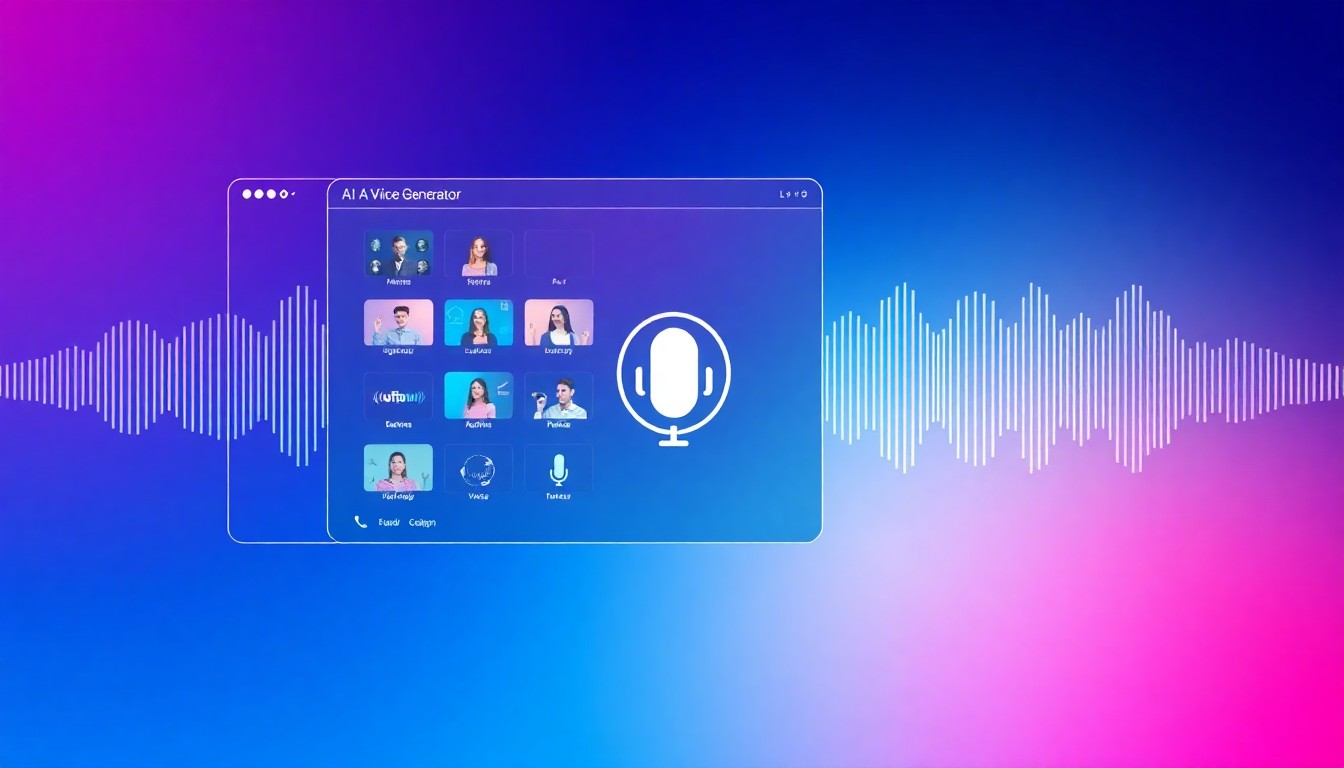
The platform is built around a cluster of related features. AI talking avatars. Face swap. AI-generated avatar videos from custom scripts. Video translation with lip-sync dubbing. Voice synthesis that integrates with the video production workflow. The voice capability isn't a standalone text-to-speech tool. It exists to serve the video.
Akool gained traction because the avatar and face swap capabilities deliver impressive production quality for the cost. Marketing teams found they could produce spokesperson videos without hiring talent, dub existing videos into other languages with synchronized lip movement, and create localized content at a fraction of traditional production cost. That's a specific and genuinely useful proposition.
Understanding that context explains the voice features. When you generate a voice in Akool, it's often driving lip-sync animation and avatar motion, not just producing a standalone audio file. Voice selection in Akool is calibrated for video avatar production, not for the breadth of voice characters a dedicated audio platform would offer.
The core product experience
Akool's interface organizes around its main feature categories. Talking photo. AI avatar video. Face swap. Video translation. The workflow for each is reasonably polished.
For talking avatar creation, you choose an avatar from their library or create a personalized one, enter your script, select a voice, and generate a video of the avatar speaking with natural-looking lip movement. The output is a video file. The audio is embedded in it. Exporting a standalone audio file isn't the primary design goal.
For video translation, you upload an existing video, select target languages, and Akool generates dubbed versions with translated speech and synced lip movements. That's a technically complex task the platform handles reasonably well for what it's designed to do.
Who built Akool?
Akool is a San Francisco-based AI company that has focused on video generation from early on. They've positioned themselves for B2B customers, particularly marketing departments and agencies that produce video content at volume. That positioning shapes every product decision, including what the voice features are built to do.
The platform isn't trying to be a creative entertainment voice tool. It's trying to be a production-grade video creation system. That's not a weakness. It's a design choice. Knowing it saves you from evaluating Akool against a purpose it was never designed to serve.
How Akool's voice technology works
Akool's voice synthesis is part of a multimodal system. The voice model and the avatar animation model work together. The audio drives the lip movement, the timing of facial expressions, and the overall cadence of the avatar performance. This integration is what makes the avatar videos look as natural as they do.
For voice input, Akool offers several paths. You can select from their library of built-in synthetic voices that cover different accents, speaking styles, and demographics. You can clone a custom voice by uploading your own recordings. You can also use text input to generate speech in whichever voice you've configured for your project.
The voice output is polished and professional. It sounds clean and natural in the context of an avatar video. The emphasis is consistency and brand-appropriateness rather than personality or recognizability.
Voice cloning in Akool
Voice cloning is one of Akool's promoted capabilities. The workflow requires audio samples, similar to how cloning works on other platforms. You upload recordings, the system analyzes the voice characteristics, and you receive a synthetic version that mimics the source.
For specific use cases, this is useful. A brand that wants a consistent spokesperson voice across all their marketing videos can clone their spokesperson and generate new scripts without booking new recording sessions. An enterprise team producing training content in multiple languages can clone a native speaker for each language and maintain voice consistency across the localized library.
For individual content creators wanting their own AI voice for personal brand use, the cloning path works, though the output is optimized for video embedding rather than standalone audio export.
Text-to-speech in the Akool workflow
Akool does have text-to-speech capability as part of the platform. You can generate voice audio from text using the synthetic voices in their library. But this TTS exists to serve the video workflow. The library of voices is built around what works well for avatar video production, not around the variety and breadth of voice characters that a dedicated audio platform would prioritize.
This is the core thing to understand about Akool's voice features. They perform well at what they're designed for. The design goal is professional video content, not standalone audio generation or celebrity voice entertainment.
 Photo via Unsplash
Akool's key features
The platform offers more than a single voice tool. Here's what's available across the full feature set.
AI talking avatars
The signature feature. Akool's talking avatar system lets you create a video of a digital person speaking your script with realistic lip movement and facial expression. You choose an avatar from their library or create a personalized one. You enter the script. You select the voice. Akool generates a video.
The animation quality is strong. Lip sync is accurate enough that the output looks natural in most professional production contexts. For marketing videos, explainer content, or corporate communications where a consistent presenter is useful, this feature delivers genuine value.
The avatars are original AI-created characters. Not impersonations of real people, not celebrity likenesses, not fictional character representations. Akool built their avatar library around diverse professional-looking options. None of them are designed to look or sound like anyone recognizable.
Face swap
The face swap feature applies a different person's face to an existing video. You upload a target video and a source photo, and Akool generates a version with the face replaced. The technology uses AI to maintain lighting, expression, and natural movement in the swapped output.
Specific production uses include previewing how a client would appear in a video before final recording, or testing different spokesperson looks for a campaign. The feature comes with platform policies around consent and appropriate use, as you'd expect for this kind of technology.
Video translation and dubbing
This is one of the more technically sophisticated things Akool does. You upload a video in one language, select target languages, and Akool generates dubbed versions with translated voice and synchronized lip movements. The lip sync adjusts to match the new audio's mouth movements, not just slapped over the original.
For brands producing content for global markets, this compresses a genuinely painful production step. Traditional video dubbing requires translators, voice actors, and video editors for each language separately. Akool turns that into a single platform workflow. The quality won't match professionally produced dubbing with experienced voice talent, but for marketing and corporate content it's a defensible trade-off in both quality and cost.
Voice library and selection
The voice library in Akool covers a range of synthetic options for use in avatar and TTS features. Different accents, genders, and speaking styles are represented. English, Spanish, French, Portuguese, German, and other major languages have voice options.
The library is functional for professional production. Voices sound clean and brand-appropriate. None of them are modeled after real people, celebrities, or fictional characters. There's no Peter Griffin voice, no Arnold Schwarzenegger voice, no Ariana Grande voice. The voice selection serves business content, not entertainment character impersonation.
AI script generation
Akool has added AI writing capabilities as part of the platform. You can use integrated text generation to draft scripts for your avatar videos, which feed directly into the voice synthesis and video generation workflow. For users who want a more complete content pipeline in a single tool, this reduces the number of external tools in the stack.
Akool pricing structure
Akool uses a tiered subscription model. Different plan levels unlock different production capacities and features. The entry-level tier gives access to core features with limited monthly generation. Higher tiers increase output limits, unlock custom avatar creation, enable higher-quality video rendering, and expand the voice cloning capabilities.
For enterprise customers, Akool offers custom pricing with volume arrangements, dedicated support, and white-label options for agencies building AI video into client services.
The pricing reflects the platform's orientation. It's calibrated for professional production workflows and business use cases, not for individual content creators generating short audio clips for social media. Compared to standalone text-to-speech platforms, the cost-per-audio-minute is higher because you're paying for the video production capability alongside the voice.
TryAIVoices structures pricing differently. Starter, Pro, and Unlimited subscription plans with credits for audio generation. Because TryAIVoices focuses specifically on audio output, the economics are straightforward. You pay for AI celebrity and character voice generation without the overhead of avatar video infrastructure.
Credits and generation economics
Akool's credit model means your monthly capacity depends on what you generate and at what quality level. Short avatar videos cost fewer credits. Longer videos, higher resolution output, and complex face swap operations consume more. The per-credit economics work out differently depending on what you're actually making.
Content creators who primarily want audio output and have no use for the avatar video features will find the credit economics less efficient than a dedicated audio platform. You pay for capabilities you don't use.
Teams running consistent marketing video production at volume find the credit allocation appropriate. The avatar video, dubbing, and face swap features justify the subscription cost when they're the core of the workflow.
 Photo via Unsplash
Best use cases for Akool
Akool earns its reputation in specific workflows. Here's where the platform genuinely performs.
Marketing video production
Marketing teams are the most natural fit. Talking avatars combined with custom voice and AI script generation lets you produce spokesperson videos faster and cheaper than traditional production. A brand that needs consistent video content across multiple campaigns, social channels, or markets benefits from having a reusable avatar presenter that can deliver new scripts on demand.
The face swap feature adds flexibility for agencies testing different talent appearances in pre-production, or for content that needs to show specific people who are difficult to get on camera.
Multilingual content at scale
Businesses creating content for multiple international markets face a logistics problem with traditional video production. Video translation in Akool compresses that workflow. Upload an English master video, select target languages, and get dubbed versions with synced lip movement. For brands with genuine global reach, this is a compelling efficiency argument.
The quality won't replace professional human dubbing for premium creative work. For product explainers, corporate communications, and marketing content, it's a practical substitute that moves much faster and at lower cost.
Corporate training and HR content
HR and training teams producing onboarding content, compliance training, or instructional videos benefit from Akool's ability to create professional-looking narrated content without ongoing studio costs. A training library that needs quarterly updates doesn't require scheduling new recording sessions. You update the script, regenerate the video, and the new content is ready.
Developer and API integrations
Akool provides API access for developers integrating video generation into larger systems. Platforms that need to produce personalized video at scale, like sales tools generating custom spokesperson videos for each prospect, can use the Akool API as the production engine. This is a specialized use case but one where Akool has genuine depth.
Where Akool falls short
Understanding limitations is as important as understanding strengths. Akool has real gaps that matter for specific needs.
No celebrity or character voice impersonations
This is the most significant limitation for entertainment creators. Akool's voice library consists of original synthetic voices and user-cloned voices. There are no voices designed to sound like real celebrities, public figures, or fictional characters.
Want to generate content in the voice of Trump for political commentary? Akool can't do it. Want to use Obama's delivery for satirical content? No. Want to make something with Spongebob's character voice? Not available. Looking for the gravitas of Morgan Freeman for cinematic narration? Or Batman's voice for dramatic effect? Akool simply doesn't offer any of that.
This is a design choice, not a gap they're filling. Akool built for professional brand-safe content. Celebrity impersonations don't fit that product vision. For content creators whose work depends on recognizable voice identities, tools like TryAIVoices exist precisely for that need. The cartoon voice library, politicians library, celebrities library, movies library, and gaming library cover voices that audiences recognize and engage with.
It's primarily a video tool, not an audio tool
Creators who need standalone audio files will find Akool's workflow friction-heavy. The platform is designed around video output. Getting clean, standalone MP3 audio without the video layer isn't what the interface is built for.
This matters for podcast-style content, audio-only social formats, gaming stream overlays, or any use case where audio without video is the goal. Tools built specifically for audio output handle standalone audio as the primary deliverable without extra steps.
Pricing calibrated for business, not individual creators
Individual content creators often find Akool's pricing higher than alternatives when their use case doesn't require video production. You pay for avatar generation capability whether or not you use it. For creators who only need voice audio, a dedicated audio platform delivers better value per generation.
The pricing structure makes sense for users who use the full feature set. It makes less sense when the video features are irrelevant to your workflow.
Setup complexity for voice-only use cases
Getting the most out of Akool means understanding its video-first architecture. Creators coming from simpler TTS tools may find the workflow more involved than expected. The platform rewards users building genuine video production workflows. It's less immediately intuitive for users who want to paste text and get an audio file back.
 Photo via Unsplash
Best Akool alternatives
Different needs point to different tools. Here are the strongest alternatives and when each one wins.
TryAIVoices: celebrity and character voices for entertainment
TryAIVoices is the direct answer when recognizable voice identities matter to your content. The platform is built entirely around celebrity impressions, fictional character voices, and cultural icons that audiences recognize. That recognition is what makes the content work.
The voice library covers politicians like Trump and Obama. Celebrities like Morgan Freeman, Ariana Grande, Bad Bunny, and Arnold Schwarzenegger. Cartoon characters like Spongebob, Peter Griffin, and Cartman. Anime and movie characters like Anakin Skywalker and Alastor. Musicians. Gaming characters. Andrew Tate for that corner of internet culture.
The workflow is as direct as it gets. You type your text, select a voice, and generate. The output is audio you can download in seconds. No avatar video setup, no video rendering queue, no complex production pipeline. You get audio immediately. For TikTok creators, YouTube entertainers, gaming streamers, meme makers, and anyone doing character-driven content, that's exactly the tool for the job.
TryAIVoices runs on Starter, Pro, and Unlimited subscription plans. Credits included with each plan go toward generating audio. The pricing page has the plan details. Browse the full voice library to see the complete catalog of 500+ voices.
If Akool came up in your search because you were looking for something like a Trump AI voice generator or a Spongebob voice generator for your content, TryAIVoices is what you were actually trying to find.
ElevenLabs: premium voice quality for narration
ElevenLabs sets the quality standard for AI voice synthesis right now. Their models produce more natural-sounding speech than most competitors, with better prosody, emotional range, and voice stability across long documents. Voice cloning from audio samples produces convincing results on higher-tier plans.
The comparison to Akool is less about overlap and more about use case separation. ElevenLabs is the right choice when you need the highest possible voice quality for professional narration, podcasting, or audiobook production. Like Akool, ElevenLabs doesn't have celebrity or character impersonation voices. The library is original synthetic voices.
For a full landscape comparison, the best AI voice generators for characters and celebrities guide covers how ElevenLabs and others stack up across different use cases.
Play.ht: professional TTS for content creators
Play.ht is a mature text-to-speech platform with 900+ voices, 142 languages, and a web editor built for production workflows. Unlike Akool, Play.ht is audio-first. The output is standalone audio files. There's no video generation layer to navigate around.
Play.ht serves bloggers who want audio versions of their posts via a WordPress plugin, podcast producers building AI-assisted shows, e-learning teams creating course narration, and developers building voice into applications through an API. The character-based pricing structure makes more economic sense when audio is the sole output.
Like ElevenLabs and Akool, Play.ht doesn't offer celebrity or character voice impersonations. If that's what you need, TryAIVoices is the right direction. But for professional narration workflows where original synthetic voices are exactly what's needed, Play.ht is a strong choice.
Narakeet: slide narration and eLearning video
Narakeet specializes in converting PowerPoint presentations and markdown documents into narrated videos. For educators, corporate trainers, and eLearning developers whose workflow lives in presentations, it removes significant friction from narrated video production.
The comparison to Akool is specific. Both handle narrated video creation. Akool does it with avatar-based talking head video. Narakeet does it with slide-based presentation video. Different visual formats for the same underlying problem of narrating written content.
Narakeet uses a credit model and has broader language coverage. Akool has more sophisticated avatar and face swap capabilities. Which wins depends on whether your video format is presentation-based or spokesperson-based. Neither platform has celebrity or character voices for entertainment content. That remains the gap that TryAIVoices fills.
Minimax AI Voice: expressive TTS
Minimax AI Voice produces more expressive output than many TTS platforms. Their voice synthesis handles emotional range and natural intonation better than standard narration tools. For content that benefits from expressive delivery, whether short-form social audio or emotionally driven narrative, Minimax is worth evaluating.
For the entertainment character voice use case, Minimax still doesn't have the celebrity and character library that TryAIVoices offers. But for creative audio content that needs more emotional color than standard corporate narration, it's a stronger option than straightforward business TTS tools.
Other alternatives worth knowing
The AI voice landscape has expanded considerably. A few more worth understanding:
Vbee AI voice is strong for Vietnamese and Southeast Asian language content. Regional language coverage is its main strength.
Dopple AI voice focuses on conversational voice interaction, a different category than either Akool's video production or TryAIVoices' character audio generation.
Zonos AI voice is building in the voice synthesis space with a focus on naturalism and quality.
SoundID Voice AI works within the DAW environment for audio production. A completely different workflow from both Akool and TryAIVoices, built for music producers and audio engineers.
PixBim Voice Clone AI focuses on voice cloning from recordings, useful for creators who want to replicate a specific voice for personal brand consistency.
Akool vs TryAIVoices: the key difference
These platforms share very little actual overlap, even though both appear when someone searches for AI voice tools.
Akool is for teams who need AI video production at scale. The voice features serve the video. Avatar creation, lip-synced dubbing, face swap, and multilingual video translation are the core product. Marketing departments, agencies, and enterprise content teams are the natural audience. The voice is a production component.
TryAIVoices is for content creators who need specific recognizable voice identities. The voice is the product. When someone generates Peter Griffin's voice saying something unexpected, or uses Obama's delivery style for satirical commentary, or puts words in Cartman's voice for a gaming video, the voice itself carries the creative weight. It's doing the work that makes the content land.
The audiences have genuinely different problems. A marketing team needs a scalable spokesperson video workflow. A YouTuber building a channel around character voice content needs access to voice identities that their audience already recognizes and responds to. Those problems require different tools. Neither tool is wrong. They're built for different jobs.
A content creator using TryAIVoices for entertainment audio and Akool for marketing video isn't in conflict. The two complement each other for anyone whose work spans both categories. Most people need one or the other, not both. The searches overlap because both fit broadly under "AI voice generator." The actual user needs rarely do.
For a deeper look at the celebrity and character voice category, the AI generated celebrity voices guide and the AI celebrities voices overview go into detail. The how to make text to speech guide covers the technical side of voice generation more broadly.
Getting the most from Akool
If you've decided Akool fits your use case, a few practices consistently produce better results.
Write for spoken delivery. Avatar videos work best with scripts written the way people actually speak. Short to medium sentences. Natural rhythm. Contractions where you'd use them in conversation. Formal written prose, the kind with long dependent clauses and passive voice constructions, sounds unnatural in voice synthesis even when the underlying model is good.
Invest in audio quality for voice cloning. Recording quality is the biggest variable in clone quality. Record in a quiet environment with a decent microphone. More samples produce more accurate clones. A poor recording produces a poor clone regardless of how good the AI is. This applies to every voice cloning platform, not just Akool. The AI can only work with what it receives.
Test voice options before committing to a full project. Akool's voice library has enough variety that voice choice matters significantly for different content types. Test several options against a sample of your actual script before generating an entire video. The right voice makes a real quality difference in the final output.
Use video translation on existing professional footage. If you have professionally produced video in one language, the translation feature layers on top of that existing quality. You get much more value than generating from scratch in each target language. The visual production quality carries over. The lip sync and translated audio are the only additions.
Model credit consumption before big projects. Generate a short test section of any major project before committing the full credit allocation. This catches quality or pacing issues before they cost significant credits to address at full length.
For more general guidance on getting good results from AI voice tools, the AI voice tips page and the getting started guide cover principles that apply across platforms.
 Photo via Unsplash
Content creator economics and AI voice tools
The economics of AI voice for content creators have shifted dramatically. Not long ago, the only realistic options were hiring voice talent, recording yourself, or accepting robotic TTS that audiences immediately clocked as synthetic. Now the question is which category of AI voice tool matches your content type.
Three distinct categories have emerged. First, professional narration tools built for e-learning, corporate video, and podcast production. These prioritize consistency, language breadth, and clean professional delivery. Akool and Narakeet sit here. Play.ht does too, with an audio-first focus.
Second, premium synthetic voice platforms built around maximum realism. ElevenLabs is the benchmark. These work for audiobook narration, documentary voiceover, and production contexts where voice naturalism is the primary criterion.
Third, celebrity and character impersonation platforms built for entertainment content. This category exists because content creators discovered that recognizable voice identities drive engagement in ways that original synthetic voices simply don't. A Trump AI voice delivering commentary gets shared. A Morgan Freeman-style narration makes anything sound cinematic. Spongebob saying something unexpected is inherently funny. Generic AI Voice Number 47 saying the same thing has none of that cultural resonance.
TryAIVoices built specifically for that third category. The library spans politicians, celebrities, cartoon characters, anime characters, movie characters, and gaming voices that audiences already have a relationship with.
For content creators building a channel or content business, the voice choice is as much a brand decision as a production decision. Some creators use a consistent recognizable narrator voice as a recurring bit. Others build entire content formats around specific voices from franchises their audience loves. Getting the tool category right saves a lot of time and frustration.
The guide to getting started with TryAIVoices walks through the content creation workflow in detail. The voice generation tips page covers script writing practices that work well with AI voices across different content formats.
Akool for YouTube and social media
YouTube and social media have very different voice content requirements depending on what kind of channel you're running.
Business and educational YouTube channels that need professional narration, branded spokesperson presence, or clean explainer content can get genuine value from Akool's talking avatar feature. A channel covering marketing, business, finance, or similar topics where professional presentation matters can use Akool's avatars as a consistent visual and voice identity without casting or scheduling.
Entertainment and personality-driven YouTube channels are a different story entirely. Content built around recognizable voice impressions, character commentary, celebrity voices, or meme audio needs voice identities that audiences recognize. Akool doesn't provide those. A channel doing political voice commentary needs real Trump voice and Obama voice impersonations. A gaming channel doing character content needs voices like Cartman or characters from franchises the audience already knows. A channel built around Disney character voices or movie character voices needs an impersonation library, not professional-grade generic avatars.
For that second category, TryAIVoices covers exactly what Akool doesn't. The cartoon library, celebrity library, and politicians library are built for entertainment content that performs on YouTube.
The AI voice generator for YouTube guide has a full breakdown of which tools fit which types of YouTube content and why the tool choice changes depending on the content format.
TikTok and short-form content follows the same pattern. Akool's AI avatar format works for polished talking-head content in a professional style. Viral social content that relies on recognizable voices, political impressions, character audio, or meme voice formats needs a different tool entirely. The movie trailer AI voice generator guide and the best AI voice generators for characters and celebrities overview cover the entertainment content landscape in detail.
One nuance worth noting: some creators use Akool for professional business content and TryAIVoices for entertainment audio within the same broader operation. The tools complement each other when the content spans both categories. There's no reason to force one tool to do a job it wasn't designed for.
Is Akool worth paying for?
For the right use case, yes. Akool delivers genuine value for what it's built to do. If your workflow involves regular production of AI avatar videos, talking-head spokesperson content, multilingual video translation, or face swap operations at scale, the platform performs well and the subscription cost is defensible against what you'd spend on equivalent traditional production.
Where Akool fails the "worth it" test is when users subscribe expecting celebrity voice impersonations, character voices, or standalone audio export optimized for entertainment content. Those users get a capable video production tool when they needed something built around audio for entertainment. The tool isn't bad. It's the wrong tool for the job.
Check what you actually need before subscribing. If it's AI video production for marketing or enterprise content, Akool is worth serious evaluation. If it's recognizable celebrity and character voices for entertainment-driven content, then TryAIVoices with its 500+ voice library is what you're actually looking for.
Explore the voice library to see the full catalog, or check the pricing page to find the plan that fits your production volume.
Frequently asked questions
Does Akool have an AI voice generator?
Yes. Akool includes voice synthesis as part of its platform. You can select from their library of synthetic voices, clone a custom voice from audio samples, or use text-to-speech generation for avatar video scripts. However, Akool's voice features are designed to serve the video production workflow. If you need standalone audio output or celebrity and character voice impersonations, a dedicated audio platform fits better.
What are the best Akool alternatives for character voices?
TryAIVoices is purpose-built for celebrity and character voice generation. The library includes 500+ voices across politicians, celebrities, cartoon characters, anime characters, movie characters, musicians, and gaming voices. For creators who need recognizable voice identities rather than original synthetic voices, TryAIVoices is the most direct alternative to Akool's approach.
Can Akool generate standalone audio files?
Akool can generate voice audio, but the primary output format is video. The voice synthesis is integrated into the video production workflow. If standalone audio is what you need, tools designed around audio export, like Play.ht, Narakeet, or TryAIVoices, are better suited to that workflow.
How does Akool voice quality compare to competitors?
Akool's voice synthesis is solid for professional video production use. The voices sound clean and natural in the context of avatar video content. The quality is competitive with other AI avatar video platforms. Compared to dedicated TTS platforms focused purely on voice naturalism, like ElevenLabs, the quality ceiling is similar but the feature set is different. ElevenLabs prioritizes voice realism. Akool prioritizes the full video production workflow around the voice.
Is Akool good for content creators?
It depends on what you're creating. For business content creators, marketing teams, and professional video producers, Akool offers real value through its avatar, dubbing, and translation features. For entertainment content creators who need celebrity impressions, character voices, or personality-driven audio for social media, Akool doesn't serve that need. TryAIVoices covers the entertainment creator use case that Akool bypasses entirely.
Does Akool support voice cloning?
Yes. Akool supports voice cloning from audio samples. You upload recordings and the system generates a synthetic voice model based on the input. Quality depends heavily on recording conditions. Clean audio from a decent microphone produces better clones than recordings made in noisy environments on consumer hardware. The cloning feature is most useful for maintaining a consistent brand voice or personal voice identity across video content, not for impersonating celebrities.
How does Akool pricing work?
Akool uses a tiered subscription model with credits for content generation. Different plan tiers include different monthly generation capacity and access to features like custom avatar creation, higher quality output, and voice cloning. Enterprise plans offer custom volume and support arrangements. Because the pricing covers video production capability alongside voice, the cost per audio generation is higher than what you'd pay on a dedicated audio platform.
Can I use Akool for YouTube content?
For professional, educational, or business YouTube content that needs consistent presenter visuals and voice, Akool's talking avatar feature works well. For entertainment YouTube content built around celebrity impressions, character voices, or personality-driven voice content, Akool doesn't provide those voices. The AI voice generator for YouTube guide breaks down which tools fit which types of YouTube content in detail.
How does Akool compare to other AI voice review tools?
The AI voice landscape covers many different tools with different specializations. Play.ht is built for audio-first professional narration. Narakeet handles slide-to-video narration for eLearning. Minimax AI Voice offers expressive TTS outside the eLearning vertical. Zonos, Vbee, and Dopple each have specific strengths in narrower categories. Akool is unique in combining AI video production with voice in a single workflow designed for marketing and enterprise use.
AI video tools and AI voice tools often get lumped together in search results, but they solve different problems. Akool is a strong AI video platform for professional production use cases. Marketing teams, enterprise content operations, and agencies with real AI video workflow needs will find genuine value in the subscription.
But if you're a content creator who needs celebrity and character voices for entertainment-driven content, you need something different. TryAIVoices is built for that workflow. Over 500 voices, instantly accessible, with no video production overhead getting in the way.
Start generating with the TryAIVoices voice library and find the celebrity or character voice that makes your content work.