SoundID Voice AI Review: Features, Pricing & Alternatives

The AI voice market splits in two directions, and most people don't realize it until they've already paid for the wrong tool. On one side, you have production software built for studio engineers, DAW workflows, and musicians. On the other, web-based voice generators built for content creators, YouTubers, and people who need celebrity voices in sixty seconds without opening a single audio plugin. SoundID Voice AI lives firmly in the first camp. Understanding exactly what that means, who it serves well, and where it falls short, is the difference between a smart purchase and a frustrating one.
This review covers everything you need to know about SoundID Voice AI. We'll look at what it actually does, how it compares to the alternatives, and which tool makes sense depending on what you're creating.
What is SoundID Voice AI?
SoundID Voice AI is a plugin made by Sonarworks. If you know Sonarworks, you probably know them from SoundID Reference, their industry-standard headphone and speaker calibration tool used in professional studios worldwide. SoundID Voice AI is their move into generative audio territory.
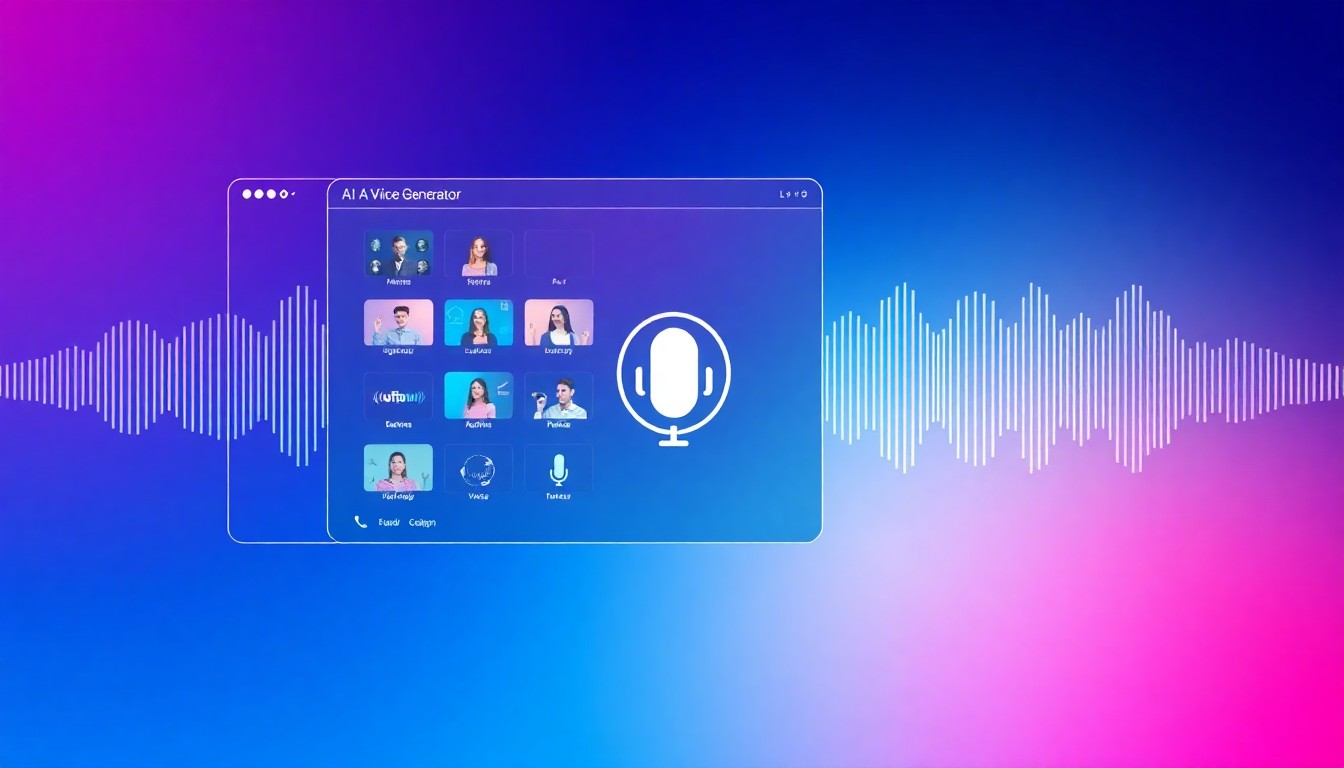
The plugin works inside your digital audio workstation. You install it as a VST, AU, or AAX plugin, load it inside Cubase, Logic Pro X, Pro Tools, Reaper, Ableton Live, FL Studio, or Studio One, and use it to transform recorded audio tracks. That last part matters. SoundID Voice AI doesn't generate voice from text. It transforms audio that already exists, audio you've recorded or imported, into a different voice or even into an instrument sound.
That distinction is everything. SoundID is audio processing software for producers and engineers. It sits in a signal chain. It processes waveforms. It's not a text-to-speech generator, not a celebrity voice tool for meme content, not a quick voiceover solution. It's a studio tool, and a genuinely interesting one at that.
The library contains 90+ voice and instrument presets. You can transform a vocal recording into a different singer's style, add AI-powered double tracks, or even convert a voice into an instrument sound. The technology preserves the performance. Timing, dynamics, and expression from the original recording carry through into the transformed output, which is a legitimate technical achievement.
 Photo by Leo Wieling on Unsplash
How SoundID Voice AI Works
The core engine is transformer-based AI running locally on your machine. This is the key selling point in SoundID Voice AI 2.0: local processing with a perpetual license means no cloud dependency, no internet requirement for processing, and no ongoing token costs for the core features.
You load a vocal or instrumental track in your DAW. You insert the SoundID Voice AI plugin on that track. You pick a preset from the library. The plugin processes the audio in real time or renders it, depending on your settings and the complexity of the transformation. The output follows the original performance's rhythmic and melodic shape, but sounds like a different voice or instrument.
The AI double tracking feature works similarly. Feed it a single vocal take and it generates up to eight natural-sounding double tracks. Traditional double tracking requires recording the same part multiple times, which takes time and rarely sounds perfectly natural. The AI version analyzes the original performance and generates variations that complement it without sounding mechanical or copy-pasted.
For music producers, this is genuinely useful. Getting thick, natural vocal harmonies and doubles from a single take can save hours in a session. The musicians category of voice content has very different demands from video content, and SoundID serves those demands directly.
Local Processing vs. Cloud Tokens
SoundID Voice AI 2.0 introduced a split system. The perpetual license unlocks unlimited local processing. That covers the AI double tracking and certain presets running on your local hardware. Cloud processing, which handles the most complex voice transformation presets, uses tokens.
Token packs are available separately. One thousand tokens run $10. Five thousand tokens cost $45. Twenty thousand tokens cost $160. The token consumption depends on which presets you use and how long your audio clips are. Complex transformations on longer clips consume more tokens. Simple transformations on short clips consume fewer.
The free tier includes eight presets, four voice presets and four instrument presets, all running with unlimited local processing. No credit card required. No time limit. Just limited preset access.
This structure makes sense for occasional users trying the software before committing. It's less friendly for heavy professional users who want predictable costs without tracking token consumption mid-session.
SoundID Voice AI Features in Depth
Voice Transformation Library
The 90+ preset library spans a range of voice types and instrument sounds. The voice presets aim to let you transform a recording to sound like different vocal styles, including different tonal qualities, registers, and character types. The instrument presets can turn a voice into something resembling strings, synths, or other sounds, which opens up creative possibilities for music production and experimental audio work.
Performance preservation is the standout technical feature here. Many voice transformation tools struggle with timing accuracy. When you apply a heavy transformation, timing artifacts appear, the output feels slightly off from the original, and the result sounds artificial even before you notice what changed. SoundID claims, and reviews generally confirm, that timing and dynamics carry through cleanly on most presets.
AI Double Tracking
This is arguably the feature music producers will use most. Eight natural-sounding double tracks from a single take. Each generated double has subtle variation, mimicking what happens when a real vocalist sings the same part multiple times. The output is dense, warm, and thick in a way that makes vocals sit well in a mix.
Content creators working on music covers, vocal-heavy YouTube videos, or any project requiring layered vocals benefit here. But again, you need existing recorded audio. You can't type a lyric and generate a vocal performance. The input must be actual recorded audio.
DAW Integration
SoundID Voice AI integrates with all major DAWs. Cubase, Logic Pro X, Pro Tools, Reaper, Ableton Live, FL Studio, and Studio One all support it. The plugin uses standard VST3, AU, and AAX formats, which means installation is straightforward on both Mac and Windows.
Real-time preview works for lighter presets on capable hardware. Heavier transformations may require offline rendering. Session workflow stays intact since the plugin sits in the chain like any other effect.
 Photo by David de la Vega on Unsplash
What SoundID Voice AI Does Not Do
It does not generate speech from text. If you want to type a sentence and hear it spoken in someone's voice, SoundID is not your tool. It does not provide celebrity voices for content creation. You won't find Trump's voice or Morgan Freeman's voice as presets. It does not work as a standalone app. You need a DAW installed and configured. It does not support web-based workflows. Everything happens within desktop software.
These aren't criticisms. They're design choices that reflect SoundID's intended audience. But they matter enormously for anyone who found this review while searching for a voice generator to use on a video project.
SoundID Voice AI Pricing Breakdown
The pricing structure has three tiers.
The free tier gives you eight presets with unlimited local processing. Four voice presets and four instrument presets. No cost, no credit card, no expiry. Good for evaluation.
The perpetual license costs $99 one-time. This unlocks unlimited local processing for all locally-running presets, including the full AI double tracking feature with up to eight generated doubles. No ongoing subscription fees for the local features. Cloud-processed presets still require tokens.
Token packs cover cloud processing for complex transformations. Pricing starts at $10 for 1,000 tokens, $45 for 5,000 tokens, and $160 for 20,000 tokens. Token consumption varies by preset complexity and audio length.
For a music producer using SoundID regularly, the $99 perpetual plus occasional token packs is a reasonable investment. The upfront cost is manageable compared to monthly subscription software that compounds over time.
Compare that to TryAIVoices' pricing, which is subscription-based and built around text-to-speech generation rather than audio transformation. The two products serve different workflows at different price points, and the right choice depends entirely on what you're creating.
Who SoundID Voice AI Is For
SoundID Voice AI fits a specific type of creator.
Music producers who record vocals and want flexible transformation options without re-recording sessions will find it genuinely valuable. The double tracking alone can justify the purchase for anyone doing vocal production regularly.
Audio engineers who want to experiment with voice styles during production and mixing have a non-destructive plugin that doesn't interrupt their existing workflow. You don't need to leave your DAW, export audio, upload to a website, wait for generation, download the result, and re-import. The transformation happens in-session.
Musicians and composers working on experimental projects where voice-to-instrument transformation opens creative doors will find the instrument presets interesting. Converting a human voice into something resembling a string arrangement or a synth texture has genuine artistic applications.
Content creators who work in audio-first formats, like podcast production with custom sound design elements, might find uses here. But only if they already work inside a DAW environment.
 Photo by
 SoundID Voice AI Limitations
Understanding where SoundID falls short is as important as knowing what it does well.
It requires a DAW. This is the biggest barrier. If you don't already have a professional DAW installed and configured, you can't use SoundID Voice AI. The plugin has no standalone mode. For many content creators, especially those working primarily in video editing software or browser-based tools, this is a complete dealbreaker before even evaluating features.
It processes audio, not text. You must have recorded audio to transform. You can't describe a voiceover in text and get audio back. This fundamental difference rules out SoundID for anyone building text-to-speech workflows.
Token costs can add up. While the perpetual license handles local processing, complex cloud presets on long audio files will burn tokens. For heavy users running lots of cloud transformations, the token model introduces variable costs that can be hard to predict and budget for.
No celebrity voices for content creation. The preset library uses voice style models, not specific celebrity or character voice models. You won't generate audio that sounds like a specific famous person. For content creators making parody content, meme videos, or character-voiced YouTube videos, this is a fundamental gap. The Trump voice, the Obama voice, the Spongebob voice that content creators want for viral video content don't exist in SoundID's library.
Learning curve for non-DAW users. Even if someone installs a DAW just to access SoundID, there's a significant learning curve for the DAW environment itself before you can productively use the plugin.
Platform dependency. Desktop-only, requiring Windows or Mac. No mobile support, no browser-based workflow.
Best SoundID Voice AI Alternatives
The right alternative depends entirely on what you were trying to do with SoundID Voice AI in the first place. The two main use case splits are music production and content creation. Here's how the landscape looks for each.
For Music Producers and Audio Engineers
iZotope VocalSynth 2 is a DAW plugin that focuses on vocal processing, harmonization, and vocoder-style transformation. It's more focused on creative vocal effects than realistic transformation, but has a strong track record in the production community.
Antares Auto-Tune remains the industry standard for pitch correction. Its newer AI-powered features add vocal style processing beyond traditional pitch correction. If you're already using Auto-Tune in your chain, the newer features might cover some of what SoundID offers without adding another plugin.
Melodyne handles pitch and time manipulation at a granular level. Not directly a voice transformation tool, but for detailed vocal editing in production, it remains one of the most capable options available.
For Content Creators Who Want Voice Generation
This is where the alternative landscape looks completely different. If you landed on SoundID Voice AI while searching for a tool to generate celebrity voices, character voices, or character-style audio for video content, you need a completely different category of tool.
TryAIVoices is built for exactly this. Type your script, pick a voice from the library of 500+ characters and celebrities, and generate audio in seconds. No DAW. No plugins. No recording required. The voice library includes politicians, cartoon characters, anime characters, movie icons, musicians, gaming characters, and more. You get audio ready for download without any audio engineering knowledge required.
ElevenLabs focuses on natural-sounding speech synthesis and voice cloning. Strong for professional narration and realistic speech. Less focused on character voices and entertainment content.
Resemble AI specializes in voice cloning from samples. Good for brands needing consistent custom voices but requires setup and is geared toward professional applications.
Murf AI targets professional voiceover production for business use cases. Clean, natural voices for explainer videos, presentations, and corporate content. Different audience than entertainment and viral content creators.
For content creators specifically, TryAIVoices covers the gap SoundID leaves open. The platform provides instant text-to-speech generation with celebrity and character voices for YouTube, TikTok, gaming content, meme videos, podcasts, and more, all without leaving the browser.
 Photo by Jonathan Velasquez on Unsplash
SoundID Voice AI vs TryAIVoices for Content Creators
Because the question comes up often, here's a direct comparison for the content creator use case specifically.
Input Method
SoundID requires recorded audio. You must have a microphone, record yourself, and feed that audio into the plugin. TryAIVoices requires text. Type a sentence, paragraph, or full script, and generate voice audio directly.
Voice Library
SoundID offers voice style presets without celebrity-specific models. TryAIVoices offers 500+ named characters and celebrities including Trump, Obama, Morgan Freeman, SpongeBob, Peter Griffin, Darth Vader, Goku, Mickey Mouse, and many more.
Technical Requirements
SoundID requires a compatible DAW (Cubase, Logic, Pro Tools, Reaper, Ableton, FL Studio, Studio One) installed and running on a Windows or Mac machine. TryAIVoices works in any browser on any device.
Workflow Speed
SoundID: record audio, open DAW, insert plugin, configure, process, export, import to video editor. TryAIVoices: type text, click generate, download audio, done.
Cost Structure
SoundID: $99 perpetual plus token packs for cloud features. TryAIVoices: subscription-based with credits included. See pricing plans for current options.
Best For
SoundID is best for music production, vocal processing in DAW sessions, AI double tracking for music, and experimental audio production. TryAIVoices is best for YouTube voiceovers, TikTok content, gaming videos, meme content, podcast production, and any project needing a celebrity or character voice quickly.
They don't compete. They serve different creators with different workflows and different outputs.
Choosing the Right AI Voice Tool for Your Needs
The proliferation of AI voice tools means the hardest part isn't finding a tool. It's matching the tool to what you're actually trying to do.
Start with the question of input. Do you have recorded audio you want to transform? Or do you have text you want converted to audio? That question alone eliminates half the field immediately. SoundID and similar DAW plugins sit in the audio-transformation space. Text-to-speech platforms like TryAIVoices sit in the generation space.
Next, consider your workflow environment. Do you work inside a DAW? Are you comfortable with plugin-based tools, signal chains, and audio engineering concepts? If yes, SoundID might fit. If you work in video editing software, content creation platforms, or browser-based tools and the DAW world feels foreign, you need something that works where you already work.
Then think about voice specificity. Do you need a voice that sounds like a particular person, character, or franchise? Or are you looking for a general style transformation? Specific celebrity and character voices live in the content generation space, not in professional audio plugins. The cartoon voice library, anime voices, politician voices, and gaming character voices on TryAIVoices address the entertainment content creation market. SoundID's preset library addresses the music production market.
Finally, consider volume and speed. Music producers working on a single track might spend hours in a DAW session and have time to work with plugin-based tools. Content creators publishing multiple videos per week, running fast production cycles, need tools that match their pace. Web-based generation wins on speed every time.
SoundID Voice AI Real-World Use Cases
To make this concrete, here are scenarios where SoundID Voice AI genuinely shines and scenarios where it's the wrong tool.
Where SoundID Works Well
A singer-songwriter recording demos at home wants to hear what their vocal might sound like with a different tonal character before committing to a final recording direction. They insert SoundID Voice AI and audition different transformation presets in real time. This is exactly what the tool is designed for.
A music producer has a session with limited vocal takes. The vocalist couldn't make it back in for doubles. The producer uses SoundID's AI double tracking to generate eight natural-sounding doubles from a single take, adding the vocal thickness the arrangement needs. The track sounds professionally layered without additional recording sessions.
An audio engineer working on a podcast wants to experiment with subtle vocal character changes for a character segment. They process the recorded audio through SoundID presets to find a transformation that distinguishes the character voice from the host voice, all within their existing DAW workflow.
A film composer needs a voice-to-instrument texture for an experimental music cue. Using SoundID's instrument presets, they convert a vocalist's performance into a string-like texture that follows the same melodic phrasing. It's cheaper than hiring additional session musicians and preserves the human expressiveness of the original performance.
Where SoundID Is the Wrong Tool
A YouTuber wants to create a video where Donald Trump explains a recent news story in his own voice, for comedic commentary and parody content. SoundID can't help. There's no Trump preset. Even if there were, the workflow requires recording a voice first, not generating from text.
A gaming content creator wants to make compilation videos featuring character voices from their favorite game, voiced by Goku for comedic commentary. SoundID doesn't cover this. You need a content generation platform with character voice libraries.
A TikTok creator wants to produce 30 short videos per week using AI voices for trending audio content. The DAW workflow of SoundID is incompatible with this production speed. You need a browser-based tool that generates audio from typed scripts in seconds.
A podcast host wants to produce a narrative series with multiple character voices. Each character needs a distinct voice that listeners will recognize episode to episode. SoundID's style transformation requires recording separate voices first, which defeats the purpose. A character voice generator with consistent named voices handles this better.
SoundID Voice AI for Content Creators: The Bottom Line
If you're a content creator who found SoundID Voice AI while searching for a voice generator, here's the direct answer: it's not the right tool for your use case. That's not a criticism of SoundID. It's a genuinely capable product for its intended audience. But its intended audience is music producers and audio engineers working inside DAWs, not content creators who need fast, text-based voice generation.
For content creation, the workflow you want is: open a browser, type your script, pick a voice, generate, download. The voices you want are the ones your audience recognizes, character voices, celebrity voices, franchise voices that carry cultural context and recognition.
TryAIVoices covers that ground. The library includes 500+ voices across politicians, celebrities, cartoon characters, anime icons, movie characters, gaming figures, musicians, and streamers. Generation happens in seconds. No plugins, no DAW, no recording equipment needed. Every plan includes credits to generate audio immediately.
Browse the full voice library or jump straight to your favorite voices:
- Trump AI voice for political parody and commentary content
- Obama AI voice for speeches and inspirational content
- Morgan Freeman AI voice for narration and documentary-style voiceovers
- SpongeBob AI voice for cartoon-style entertainment content
- Darth Vader AI voice for dramatic Star Wars-style content
- Peter Griffin AI voice for Family Guy parody content
- Goku AI voice for anime-style commentary
- Mickey Mouse AI voice for Disney character content
See the full celebrity voice guide and best AI voice generators overview for deeper coverage of what's available.
 Photo by Panos Sakalakis on Unsplash
SoundID Voice AI Frequently Asked Questions
What is SoundID Voice AI used for?
SoundID Voice AI is a DAW plugin by Sonarworks used for voice transformation in music production. You feed it recorded audio, and it transforms that audio into a different voice style or instrument sound using AI processing. It also generates AI-powered double tracks from single vocal takes. It is not a text-to-speech generator.
Does SoundID Voice AI work without a DAW?
No. SoundID Voice AI is a plugin that requires a compatible DAW to function. It supports Cubase, Logic Pro X, Pro Tools, Reaper, Ableton Live, FL Studio, and Studio One on Windows and Mac. There is no standalone mode and no web-based version.
How much does SoundID Voice AI cost?
SoundID Voice AI offers a free tier with eight presets and unlimited local processing. The perpetual license costs $99 one-time, unlocking unlimited local processing for locally-run presets. Cloud-processed presets require token packs starting at $10 for 1,000 tokens, $45 for 5,000 tokens, and $160 for 20,000 tokens.
Is SoundID Voice AI good for content creators?
SoundID Voice AI is designed for music producers and audio engineers, not content creators who need fast, text-to-speech voice generation. If you need celebrity voices, character voices, or quick text-to-speech generation for YouTube, TikTok, or gaming content, a dedicated voice generator like TryAIVoices is a much better fit.
What are the best SoundID Voice AI alternatives for making YouTube videos?
For YouTube content creation, web-based voice generators like TryAIVoices are the practical alternative. TryAIVoices provides 500+ celebrity and character voices, instant text-to-speech generation, and a browser-based workflow that requires no plugins, DAWs, or recording equipment. Check the voice library to find voices that suit your content style.
Can SoundID Voice AI do celebrity voices?
SoundID Voice AI does not offer celebrity-specific voice models. Its library contains voice style presets and instrument presets, not voices modeled after specific famous individuals. For celebrity AI voices, you need a dedicated content generation platform with named character voice models.
Does SoundID Voice AI require internet?
SoundID Voice AI 2.0's perpetual license enables unlimited local processing for locally-run presets, meaning many features work without internet. Cloud-processed presets require internet connection and consume tokens from your token balance. The free tier also runs locally without internet for its eight included presets.
How does SoundID Voice AI compare to ElevenLabs?
ElevenLabs is a text-to-speech and voice cloning platform, while SoundID Voice AI is an audio transformation plugin. They serve different use cases. ElevenLabs generates speech from text input. SoundID transforms already-recorded audio. For content creation, ElevenLabs and TryAIVoices are more relevant. For music production, SoundID and other DAW plugins are more relevant.
AI voice tools serve very different audiences, and SoundID Voice AI is an excellent example of a product that does its job extremely well for the right user. Music producers and audio engineers get a capable, DAW-native tool with strong local processing, AI double tracking, and a library of style presets that work inside an existing professional workflow.
But if your workflow involves creating content, not producing music, a different kind of tool altogether fits better. Start with TryAIVoices for instant text-to-speech generation with hundreds of celebrity and character voices. No plugins. No DAW required. Just type, generate, and download.